
Deployment feature: Kickstarter variant
The default shacl-vue behaviour provides comprehensive UI features and experience for viewing and editing data records. However, such features might not be best suited for the type of data entry that is required soon after deployment. At that point in time it is particularly important to kick-start the entry of domain-specific knowledge into the metadata system, so that a critical mass for continued use of the system can be reached as soon as possible. shacl-vue provides the kickstarter variant for exactly that case. The goal of its UI/UX design is to encourage users to enter minimal records in a quick, intuitive, and interactive way, as demonstrated in the snapshot below:
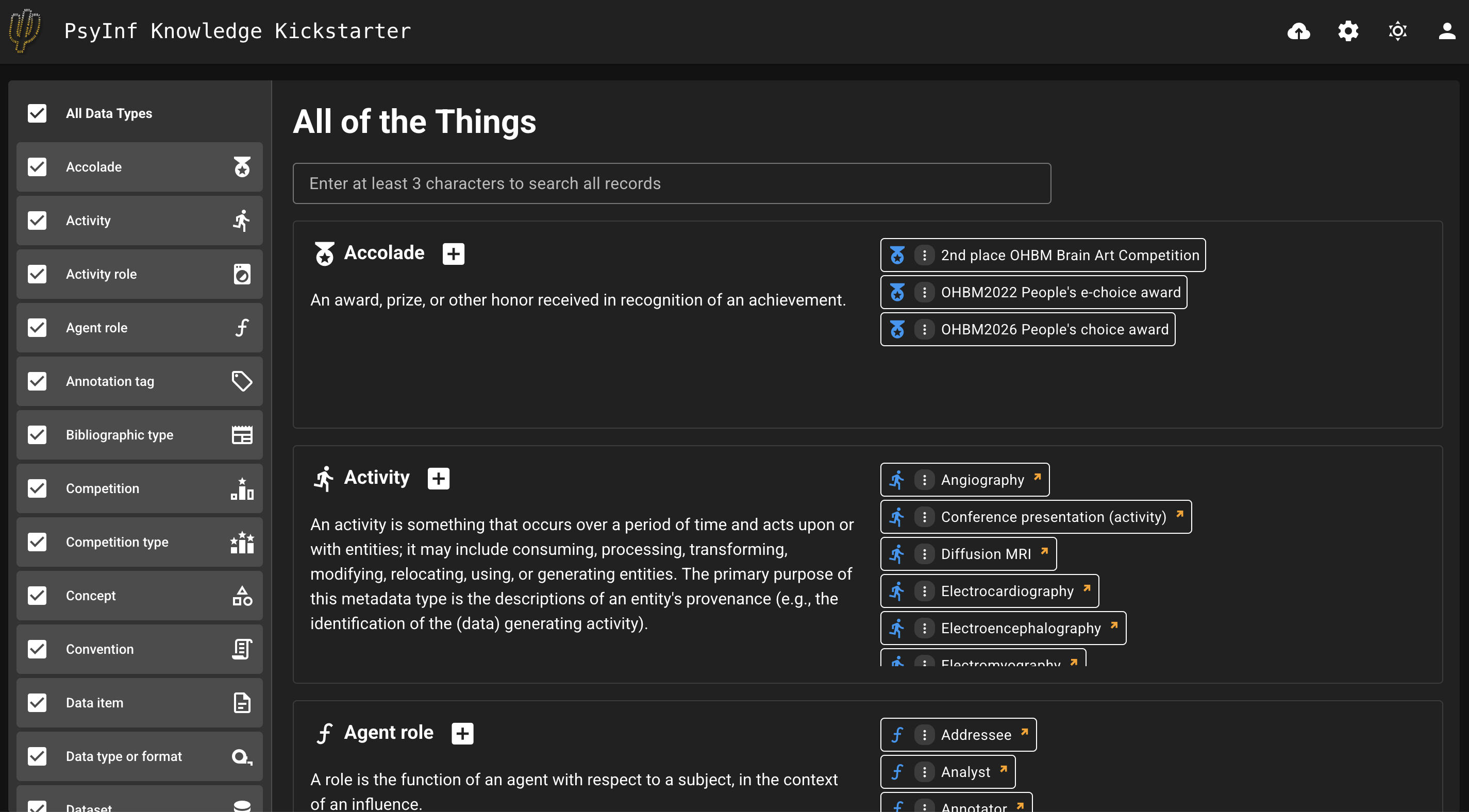
See also a live demo at: https://pool.psychoinformatics.de/kickstarter
The kickstarter variant can be built by providing the build-time environment variable:
VITE_SHACLVUE_VARIANT=starter npm run build:appTo build the default shacl-vue application, the environment variable's value can either be set to default, or just omitted.
The kickstarter variant has the following features:
- Instead of making only a single class selectable at a time, it shows all record types (aka classes), and many records per class. The user can scroll down the main view through all classes, and relevant records can be scrolled within each class "card". The left-hand-side pane now shows the list of classes with added checkboxes, which allows including/exluding classes from being displayed in the main view.
- it can make use of the
_classesoption of thewizard_selectionconfiguration in order to specify a wizard that will be shown for all classes. This allows the use of a generic "add new record" wizard that only asks for a display name and description (an accompanying TTL template needs to be supplied) - Text search functionality provides the same UX as for the default, however the search happens across all records, i.e. not only on a single class-level.
- Comprehensive detail and functionality from the default application are not available in the starter application. This mainly means the record viewer is minimalistic, containing just the display name and a mini menu button with options to edit the record (which will open the default editing form) and view the record RDF.